


Sword Health: AI Care
4.81.06K Reviews
App Specs
- Version
- Varies with Device
- Updated On
- License
- Free
- Downloads
- 100,000+
- Developer
- Sword Health
- Categories
- Medical
- Platform
- Android
Screenshots
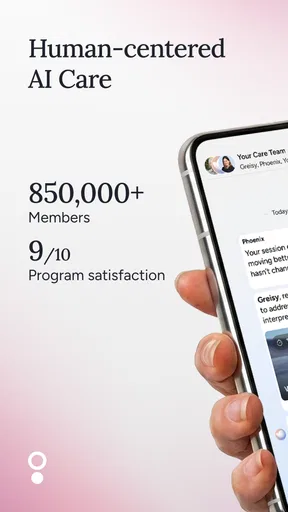
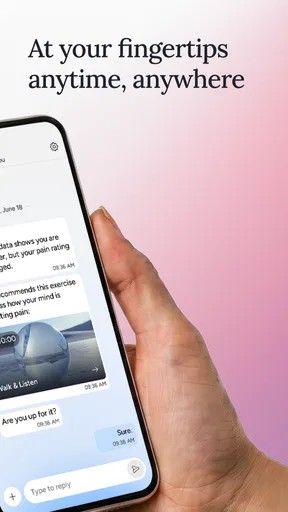
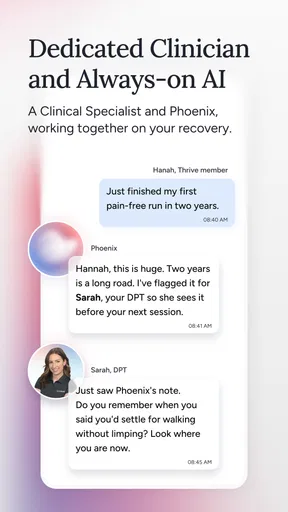
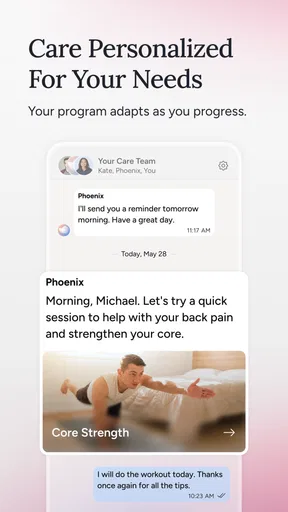
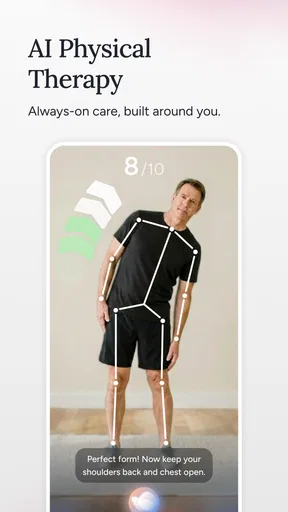
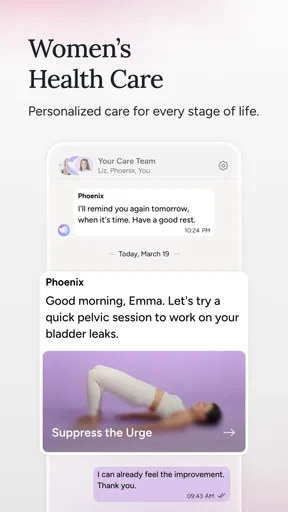
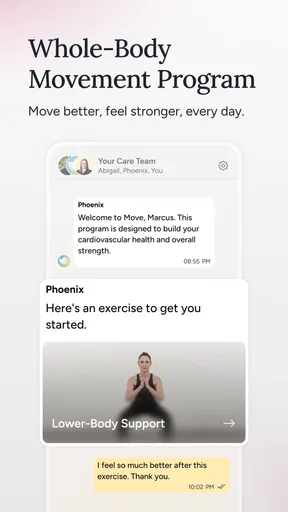
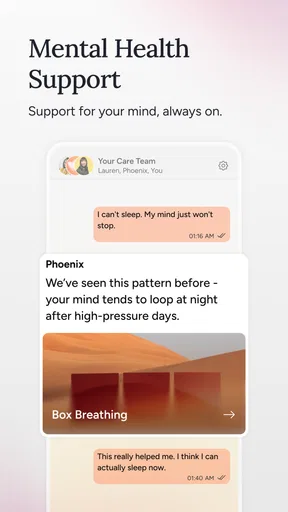
 Analysis by AppCompare
I’d approach Sword Health: AI Care as a guided home-physiotherapy app rather than a general fitness tracker. Its focus is helping people work on musculoskeletal pain through a tailored digital care experience, with Sword Health as its developer. If you’re new to this kind of app, the most useful first goal is modest: understand what it asks you to do, complete a session at a comfortable pace, and decide whether its guidance fits your day-to-day routine.
What a first-time user should expect
The experience is built around care rather than open-ended workouts. Instead of choosing from a large library and assembling your own routine, you provide context about your needs and let the app shape a plan. That distinction matters: it can make starting less daunting, but it also means the app’s usefulness depends on giving it clear, accurate answers and following the plan it presents.
I would not treat an AI-guided session as a replacement for a clinician’s assessment or as a reason to push through pain. The app can help structure movement and make home practice easier to follow, but pain can have different causes, and a digital routine is not right for every situation. If symptoms are severe, changing quickly, or worrying, getting advice from a qualified health professional is the sensible next step.
Getting from installation to a useful routine
Before starting, set aside a little uninterrupted time and choose a space where you can move without rushing. A quiet area with enough room for the movements is more useful than trying to squeeze a session into a crowded moment. Keep your phone positioned so you can see its guidance while moving, and avoid treating the first session like a test of flexibility or strength.
When answering setup questions, describe the problem as plainly as you can rather than guessing what answer will produce the fastest plan. Be consistent about which area is bothering you and how movement feels. If your situation changes later, revisit the information and respond honestly; a personalized plan can only be as relevant as the details behind it.
The app is free, rated for Everyone, and has an average rating of 4.6 from around eight thousand ratings. It has been installed over one hundred thousand times. Those figures make it a familiar option for many people exploring digital care, but they do not tell you whether a particular exercise plan is appropriate for your body. I would judge that by how clearly the app guides you and how you feel during and after sessions.
The first success is consistency, not intensity
A good first result does not have to mean immediate pain relief. I’d count it as a success if you understand the instructions, complete the movements without hurrying, and can tell whether the session felt manageable. That gives you a useful baseline for later sessions and makes it easier to notice if something feels different.
Worth Reading Before You Choose

EA SPORTS FC Mobile 26 Is a Bigger Football Game, but It Takes Time

Flipboard Shows What News Apps Must Do Beyond the Feed

Switching to Android Auto Means Rethinking Your Driving Routine

Google Calendar Makes a Crowded Week Easier to Manage

Ludo King Makes the Most of the Minutes Between Plans

Baby Panda World Brings Quick Play to Modern Phones, but Its Game Library Feels Busy
For example, imagine finishing work with a stiff back and only a short window before dinner. Rather than opening a general workout app and picking stretches at random, you could check the care plan, clear a small patch of floor, and follow the guided movements at an unhurried pace. Afterwards, note how the session felt instead of assuming that more repetitions would be better. A brief, repeatable routine is often easier to maintain than an ambitious one you keep postponing.
Use the feedback moments to describe your experience accurately. If a movement feels uncomfortable or difficult, do not report that it was easy simply to keep the plan moving. That may affect how appropriate the next steps are. And if you cannot safely complete an instruction in your available space, pause and adjust your setup rather than improvising a different movement.
What is Sword Health: AI Care?
Sword Health: AI Care is essentially a digital physiotherapy platform that leverages AI to provide personalized care. Think of it as having a physiotherapist in your pocket, ready to assist whenever you need it. It’s designed to help manage, and potentially alleviate, pain from musculoskeletal issues. With user-friendly features and a sleek design, it's accessible to anyone in need of physical therapy.
Getting Started
Setting up the app was a breeze. After downloading it, I was guided through a simple registration process. It’s intuitive, and I appreciated how it immediately asked about my specific needs and pain points. This isn’t a one-size-fits-all app; it’s tailored to what you require.
The interface is clean and straightforward. I found navigation to be smooth, with everything clearly labeled. The app’s main screen offers a snapshot of your progress, goals, and upcoming sessions. It's like having a personal dashboard for your health journey.
The AI Experience
The magic of Sword Health: AI Care lies in its AI-driven approach. The app uses artificial intelligence to tailor exercises and track your progress. I was pleasantly surprised by how it adjusted my routines based on my feedback and performance.
What stood out to me was the real-time feedback. During exercises, the app provides guidance on form and technique, ensuring that you’re getting the most out of your sessions. It’s almost like having a physiotherapist right there, correcting your posture and cheering you on.
Features You’ll Love
One of the standout features is the personalized exercise plans. These are not cookie-cutter routines but customized plans based on your specific needs. The app uses data to continually refine these plans, which I found incredibly helpful.
Another feature that caught my eye is the progress tracking. The app keeps a detailed record of your achievements and areas needing improvement. It's both motivating and insightful, showing you just how far you've come.
Sword Health: AI Care also integrates seamlessly with wearable devices. This means it can pull in data from your smartwatch or fitness tracker, providing a holistic view of your activity levels and overall health.
The Community Aspect
While the app excels in individual care, it also fosters a sense of community. There are forums and discussion boards where users can share experiences and tips. I found this aspect particularly enriching, as it adds a layer of human connection to the digital experience.
Choosing it over other options
Compared with generic stretching videos, the strongest case for this app is the care structure: a plan shaped around your reported needs, prompts while you exercise, and a record that can help you see what you have been doing. A video can be convenient and free, but it usually leaves you to decide whether a movement suits your situation and whether you are performing it as intended. Conversely, a local physiotherapist can assess you in person and respond to details a phone-based routine may miss. I see Sword Health as a practical middle ground for guided home practice, not a substitute for hands-on assessment when that is needed.
It is also a different proposition from a general exercise or activity app. Those are often better if your main goal is broad fitness, step tracking, or choosing varied workouts. Here, the narrower focus is an advantage when you want a care plan rather than another list of exercises, but it may feel restrictive if you prefer to select every movement yourself or are looking for strength training unrelated to pain management.
Small habits that make the guidance more useful
One easy-to-miss trade-off with personalized care is that the plan works best when you keep your feedback meaningful. Avoid judging a session only by whether it felt easy: note whether a movement was comfortable, awkward, or hard to follow. This gives you a more useful basis for the app’s adjustments than a simple attempt to complete everything quickly.
It can help to attach sessions to an existing routine, such as a break after work, rather than waiting for a perfect stretch of free time. Keep the same clear space and phone position when possible; changing the setup each time can make it harder to follow visual guidance. If you share a room, choose a moment when you can concentrate, since listening and watching carefully is part of using the coaching well.
Progress tracking is most useful as a record of your own practice, not as a score to compete against. A missed session does not mean you should double the next one, and a good day does not automatically mean you should increase effort. The more sensible approach is to use the plan and your own comfort as guides, then seek professional input if the pattern of symptoms gives you concern.
Where it may not be the right fit
I would skip a self-guided app as the main answer if you need someone to examine a new or serious problem, if you are uncertain whether movement is safe, or if you need a clinician to adapt exercises in person. It may also disappoint someone who wants a fully self-directed workout library, because its value comes from following a personalized care path rather than browsing without a specific purpose.
There is a learning curve in trusting digital coaching without mistaking it for a person physically present. Prompts can make exercise more structured, but they cannot see every environmental hazard or understand every nuance of how you feel. Set up carefully, stop if a movement feels wrong, and use professional care when your needs go beyond guided home practice. These are sensible boundaries, not flaws unique to this app.
The app belongs to the medical category and was released on August 9, 2019. Its 956 written reviews offer another indication that people have shared detailed experiences, though individual results will naturally vary. I would use its reputation as a reason to explore it, not as a promise that the same plan or outcome will suit everyone.
Final Thoughts
In a world where technology often feels impersonal, Sword Health: AI Care manages to strike a balance between AI precision and human empathy. It’s more than just a digital tool; it’s a companion in your health journey.
Whether you’re dealing with chronic pain or just looking to improve your overall physical health, this app provides a comprehensive and engaging solution. I’d recommend giving it a try if you’re serious about taking charge of your physiotherapy needs from the comfort of your home.
Overall, Sword Health: AI Care is a testament to how technology can enhance our lives in meaningful ways. It’s not just an app; it’s a revolution in digital health care.
Pros
- AI-driven personalized care plans.
- User-friendly interface and design.
- Comprehensive exercise library.
- Real-time feedback and tracking.
- Supports multiple health conditions.
Cons
- Requires stable internet connection.
- Limited offline functionality.
- Monthly subscription can be costly.
- Device compatibility issues possible.
- Some features need improvement.
FAQs for Sword Health: AI Care
What is Sword Health: AI Care and how does it work?
Sword Health: AI Care is a digital physical therapy app that utilizes artificial intelligence to provide personalized rehabilitation programs. It connects users with licensed professionals who guide them through exercises, track progress, and adjust plans as needed. The app aims to make effective physical therapy more accessible and convenient for users.
Is Sword Health: AI Care suitable for all types of injuries?
While Sword Health: AI Care covers a wide range of musculoskeletal conditions, it's important to consult with a healthcare professional to determine if it's suitable for your specific injury. The app is primarily designed for conditions like back pain, joint pain, and post-surgical recovery, but individual needs may vary.
Do I need any special equipment to use Sword Health: AI Care?
Sword Health: AI Care typically requires minimal equipment, often just common household items like a chair or a towel. Some programs might suggest specific tools, but these are generally easy to acquire. The app provides clear instructions on what is needed for each exercise to ensure effective therapy sessions.
How secure is my personal data on Sword Health: AI Care?
Sword Health: AI Care prioritizes user privacy and data security. The app complies with international privacy standards and regulations, ensuring that your personal and health data are encrypted and stored securely. Users can review the privacy policy within the app for detailed information about data handling practices.
Can I use Sword Health: AI Care without internet access?
Sword Health: AI Care requires an internet connection to access all features and to communicate with your assigned physical therapist. While some exercises may be available offline, progress tracking and real-time adjustments necessitate connectivity to fully benefit from the app's capabilities.


